

Collage Maker
Seeing all your memories together in a colorful throng is quite nostalgic but more fun.
Bring out the creativity inside you and make appealing photo collages with free templates, multiple photo grids, and fun fonts.
Features Fast and easy app Interactive User Interface Tons of photo grids Multiple shapes Split images Customizable font size Vibrant font styles Bold color scheme Image preview Made for everyone One-tap sharing/saving This robust and versatile collage maker app is unique in its concept because it offers a myriad Collage, frames, split images, and shapes along with aesthetically appealing font styles and vibrant colors to work with.
It has ample drag-and-drop options to explore, with a great UX coefficient and a lot of creativity.The workflow of the collage maker app is effortlessly understandable to quickly fix your designs and visuals.
The most enticing feature of the collage maker app is you just need to search through the categories of collages you like and drop your best images from the gallery in different grids.
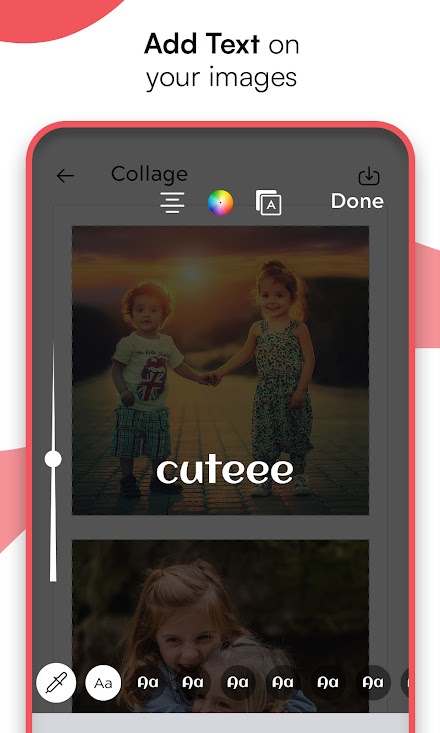
Finish your artwork by adding unique text in different font styles and sizes to strengthen the moments even more and your collage is ready.
Click save and your image will be saved in the gallery automatically.
Design photo collage online free for summer photo collage or vintage collage frame and get results in minutes.
For added convenience, relive your memories by directly sharing your artwork on social networking sites like Whatsapp, Facebook, Instagram, Twitter, etc.
Collage maker online mobile adds more zing to your photo collages with tons of frames, and photo grid structures, and get creative with fonts and typography.
Whether you want heart shape collage maker online or fathers day photo collage maker online, this collage maker app is the epitome of performance and creativity.
About Collage Maker
- Package name (App ID)
- picture.photo.collage.collagemaker.photoapp
- Available on
- Google Play
- Price
- Free
- Developer
- Code Buster
Looking for the Collage Maker APK?
The safest way to get Collage Maker (picture.photo.collage.collagemaker.photoapp) on your Android device is to install it directly from Google Play — you'll always get the latest official version, automatic updates, and no risk of modified or infected APK files from third-party sites.

Social Features
Connect and share with friends and the community.
Camera Features
Advanced camera features with editing capabilities.
Weather Features
Get accurate weather forecasts and real-time updates.
See Collage Maker in Action


Frequently Asked Questions
Is Collage Maker free?
Yes, Collage Maker is free to download and install on Android through Google Play.
How do I install Collage Maker on Android?
Open Google Play on your Android phone or tablet, search for Collage Maker by Code Buster or tap the Google Play button on this page, then tap Install. The app downloads and installs automatically.
What is picture.photo.collage.collagemaker.photoapp?
picture.photo.collage.collagemaker.photoapp is the App ID (package name) of Collage Maker on Google Play. Every Android app has a unique package name, and it is the safest way to verify you are installing the official app.
Is Collage Maker safe to download?
Installing Collage Maker from Google Play is the safest option: you get the official version published by Code Buster, verified by Google Play Protect, with automatic updates. Avoid APK files from unofficial third-party sites.

Get Collage Maker Today
Collage Maker for Android — free download on Google Play.
Compatible with Android phones and tablets — available on Google Play.
Ask AI about this app
Get instant answers about features, tips and more from popular AI assistants.